 ToolMarina
 Creator Tools
 Games & Guides

LLMs.txt Generator
Write the llms.txt file that tells AI assistants what your site is about.

Browse a directory of useful web tools, games, and guides. Find something that helps, or submit a tool you’ve made.
No account needed. One page per product, reviewed by hand.

Browse the categories with reviewed listings.
New categories open once they have five reviewed listings. Submit your tool.
Tools, games, and guides reviewed by hand.

Free Minecraft banner maker with live preview, /give command and PNG export.

Free S–F tier list maker with drag-and-drop, PNG export and share links.

Free 7 Deadly Sins quiz with 21 prompts and a downloadable result card.

Vote to save one game from each year, 1980–2026, and see community picks.

Practice Stratego online against the computer, free in the browser.

Today’s PEAK map level, biome route, Tomb status and 208-day calendar.

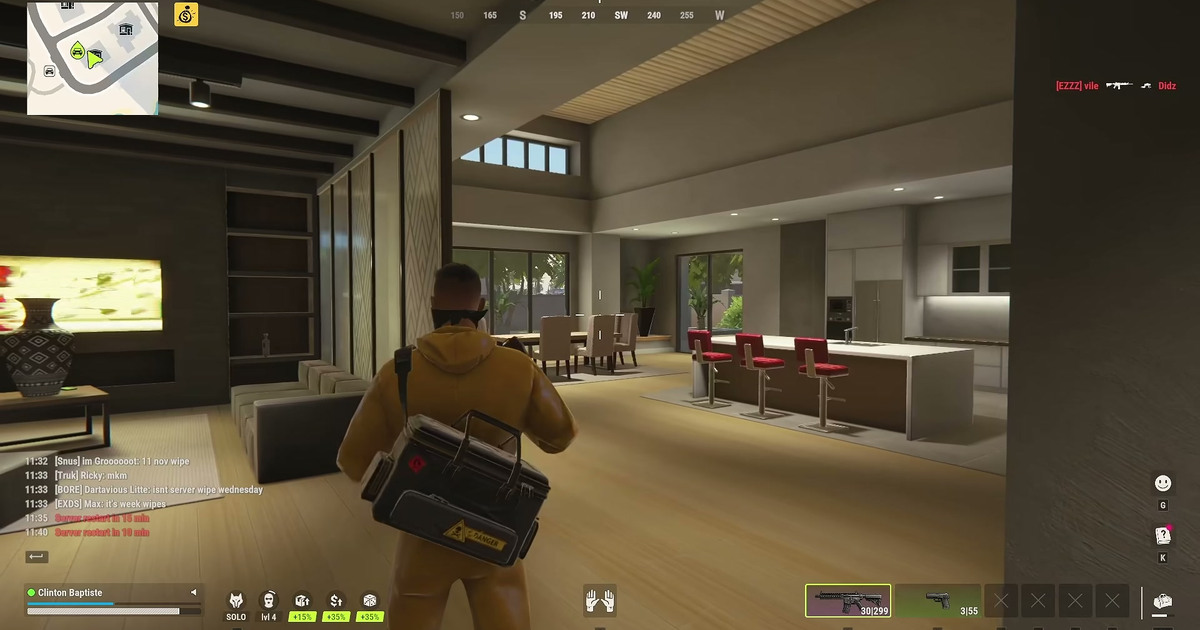
Unofficial fan guide to ROB RUN: beginner tips, money, bank and wipe rules.

Verified Zad Archery guides for Mega Update systems, Symbols, Rings and patches.
Two free tools for your site. Check Domain Rating or build an llms.txt file without signing up.
Write the llms.txt file that tells AI assistants what your site is about.

Check one domain’s Ahrefs rating and see when it was last checked.

We prepare a draft from your website. Review the details and add your reply email before you submit.
We open the site and check that the product works, can be inspected without an account and matches the description.
Accepted products get a permanent page with a description and a link to the product, plus a place in the tool directory.
How ToolMarina works covers what a review checks, what gets refused, and what the two free tools do with what you type.
ToolMarina covers small web tools, games, and guides. Each listing says what the product does, what it costs, and whether you need an account.
When you submit your tool, you give people a second place to learn what it does. A listing can explain a specific use case that your homepage only mentions in passing. Readers can see what they get before opening the tool, which matters if they are comparing several options for the same task.
Creators can also send someone the listing when a short product tour would be more useful than the main landing page. Readers get a direct link to the product when it fits their task.
Listings explain who the product is for, how it works, and where its limits are. The BannerPixel listing describes making a Minecraft banner, copying the Java command, or exporting a PNG. It also explains when a general design app would be a better fit.
The TierTool listing shows how to build and share a tier list in the browser. These examples give readers enough context to decide whether the tool is worth trying before they visit.
People can find listed tools from the Featured tools area, the tool directory, or the related tools section of another listing. Those entry points help a reader discover a tool while following a task, even if they don’t know its name yet.
The five-listing threshold applies to dedicated category pages. A reviewed product can appear in the main directory before its category has enough entries for a page of its own. Readers can still look up the product by name or search for relevant terms.
Use your existing listing if the same domain is already in the directory. Changes to pricing, screenshots, or the product name belong on that page so readers can find the current details from the same link. For a new product, the FAQ explains what qualifies for review.
When you’re ready, submit your tool. The submission page handles the details we need and explains how to request a correction later.
Short answers about ToolMarina itself: what it costs, what it collects and what it does with your files. The long version sits in the privacy policy.
Yes. Submission, review and the published page are free, and there is no paid tier that moves a product up the list or into a better position on it.
Usually within a week, and we reply either way. If it is turned down we tell you which basic check failed, so the next submission can pass.
Links to submitted products are dofollow. We do not sell links and we do not sell positions, so the list stays worth reading.
Yes. Use your private status code to request a change or removal. If you submitted by email or lost the code, contact us from your original submission address.
A new domain can take a few weeks to be indexed. We add every accepted page to the sitemap and link it from at least one other page on the site — that part is ours to control. After that it is up to search engines.
No. We turn down landing pages with no working product, affiliate wrappers, abandoned builds, and anything that cannot be opened without creating an account. Fix the site and send it again.
Browsing and submitting are free. There is no paid tier, no upsell and no sponsored placement, so nothing on a listing can be bought. The only thing a submission costs is the ten minutes it takes to send it.
No. There is no sign-up, no login and nothing to install. Every page and both free tools on the site — the DR checker and the llms.txt generator — work in a normal browser. An email address is needed only when you submit a product, so that we can reply.
ToolMarina never asks for a file. It is a directory: you read a listing and follow the link to the product, which runs on its own site. The two tools here take a pasted domain name or a few lines of text, never a document. Before you hand a file to any listed tool, check its listing: some products work on your own device, others upload.
If you only browse, we count page views and referrers in aggregate — no advertising trackers, no cross-site profiling. If you submit a product, we keep the product URL, the description you write and the email you write from, so we can reply and handle later edits. Ask us to delete a listing and the reply email goes with it.
Not on ToolMarina itself. The site does not process your files, so there is nothing to meter and no quota to run into. Any limit you meet belongs to the tool you opened, and the listing states that tool's pricing and whether it asks for an account.
Browsing works in mobile Safari and Chrome, and both free tools take pasted text, so they work on a phone too. Some listed products are built for a desktop screen; each listing says what the product costs and whether it needs an account before you leave the site.
It is a directory, not a toolbox. Every listing is opened and tried by hand, each product gets one page with its real pricing and account requirements, nothing on the page is sponsored, and outgoing links are dofollow. No file passes through this site, so there are no uploads, watermarks or file-size games to weigh up.
The listing describes what the tool does in plain English, how it is priced and whether it asks you to sign up. Check the screenshot for the interface and follow the product link if it fits your task.
Accepted tools appear in the tool directory. A category page opens once there are enough reviewed tools to make it useful.
Yes. Tell us which directory and which field has changed. We check the submission form, published links and required fields ourselves and record when we last looked.
One page, one link, no fee. We read every submission ourselves.